




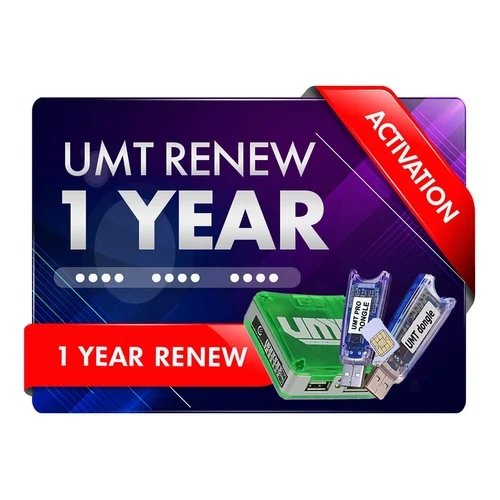
UMT 1 Year Activation Renewal
Buy UMT Dongle/Box 1 Year Activation/Renewal at a low price in India. Instantly renew your UMT tool to access the latest updates for flashing, unlocking, and repairing Android devices. 100% genuine activation with fast online delivery.
What's New:
Infinix/Tecno/iTel Exclusive Functions:
Remove Security Plugin (META)
- You need to do Reset FRP (META) after it.
- Tested Devices:
- Tecno Spark 20C (BG7) Android 13, Jan 2025
Remove Payjoy (META)
- You need to do Reset FRP (META) after it.
Reset FRP (Android 15 Supported) (META)
- Tested Devices:
- Infinix Note 40 (X6853) Android 15, May 2025
- Infinix Smart 9 (X6532) Android 14, Apr 2025
- Infinix Smart 9 HD (X6532C), Android 14, Mar 2025
- Tecno Spark 20C (BG7) Android 13, Jan 2025
- Tenco Spark 20 Pro 5G (KJ8), Android 14, Feb 2025
Safe Format (META)
- Tested Devices:
- Infinix Note 40 (X6853) Android 15, May 2025
- Infinix Smart 9 (X6532) Android 14, Apr 2025
- Infinix Smart 9 HD (X6532C), Android 14, Mar 2025
- Tecno Spark 20C (BG7) Android 13, Jan 2025
- Tenco Spark 20 Pro 5G (KJ8), Android 14, Feb 2025
Instruction for Reset FRP and Safe Format (META):
- You must have scatter for your device.
- No need of same firmware, but model should be same.
- Selecting wrong scatter can damage your device.
Security Plugin Bypass (ADB)
- This option is listed in Infinix/Tecno/iTel (ADB) Group
- After Removing Security in META mode, you may need to use this function.
Added XIAOMI (gold HyperOS 2025) in PL Exploit
- Select Local SLA V2 and use Reset FRP 2025.
Supported Functions
- Read / Write Firmware
- Backup / Restore QCN
- IMEI Repair in FTM/Diag + Flash Mode
- Backup / Reset / Restore Security (EFS)
- Reset FRP (Google Factory Reset Protection)
- Format UserData
- Read Pattern Lock (Android < 6.0, Un-Encrypted Devices Only)
- Reset Locks (PIN, Password, Pattern w/o Data Loss, Un-Encrypted Devices Only)
- Enable Diag (Need OEM Unlock, May not work on BL Locked Devices)
- Reboot to EDL from Fastboot
- Reset Mi Account for Xiaomi Devices
- Disable Mi Account for Xiaomi Devices
- Factory Reset (sideload Mode) for Xiaomi Devices
- Disable / Restore Locks for Encrypted Userdata
- Motorola Boot Repair
- Xiaomi EDL Locked Device Service
- Bootloader Unlock in EDL Mode for some Xiaomi Devices
- One Click Root in EDL Mode for Generic Qualcomm Devices
- Forensic Functions (Read Contacts / Messages in EDL Mode)
- One Click Lock Reset for Vivo Phones (Encrypted Userdata)
- Factory Method for Format FS
- EDL Authentication using Xiaomi Auth App (Service Account Required)
- Xiaomi Wipe EFS in Sideload Mode
- Xiaomi IMEI Repair for RSA Protected Phones
- Xiaomi Boot Loader Unlock
- Unique Method for Vivo Reset Locks for Protected Devices
- Xiaomi EDL Auth Using UMT Server
- Xiaomi Flashing in Fastboot Mode
- Nokia Factory Firmware (nb0) Direct Flashing in EDL mode
- Oppo OFP Firmware Exctration Added
- Xiaomi Free Auth Service (bypass).
- Mi Account Reset without Relock
- Mi Account Patch on Flashing (EDL/Fastboot)
- Samsung MDM Unlock in EDL Mode
- Huawei ID Reset
- Vivo Functions in Fastboot Mode
- Universal Huawei ID Reset
- Xiaomi Sideload Reset FRP/Mi Account
- Xiaomi Sideload Firmware Update
- Xiaomi Temporary BL Unlock
- Xiaomi Enable Diag (NO ROOT)
- Samsung Lost Mode Reset in EDL Mode
- Samsung KG Bypass
- Samsung Unbrick / Dead Boot Repair
- Samsung TAR to Unbrick Firmware Creator
- Xiaomi Auth Bypass For Newer Devices
Added:
Lava
- Blaze Dragon (LXX519)
LT Mobile
- P30 (C3700)
OnePlus
- 8T 5G (KB2007)
Oppo
- Reno 7 (CPH2363)
Samsung
- Galaxy A05s (SM-A057F) BIT-A
- Galaxy A23 (SM-A235F) BIT-B
- Galaxy A23 (SM-A235N) BIT-A
- Galaxy A23 5G (SM-A236E) BIT-B
- Galaxy A23 5G (SM-A236U) BIT-B
- Galaxy A23 5G (SM-A236V) BIT-A
- Galaxy A23 5G (SM-S237VL) BIT-C
- Galaxy M14 (SM-M145F) BIT-8
- Galaxy M23 5G (SM-M236L) BIT-B
- Galaxy M23 5G (SM-S236DL) BIT-D
- Galaxy S20 FE (SM-G780G) BIT-G
- Galaxy S20 Lite 5G (SM-G781B) BIT-H
- Galaxy S20 Lite 5G (SM-G781N) BIT-C
- Galaxy S20 Lite 5G (SM-G781U) BIT-M
- Galaxy S20 Lite 5G (SM-G781V) BIT-K
- Galaxy S21 FE 5G (SM-G990B) BIT-F
- Galaxy S21 FE 5G (SM-G990B2) BIT-F
- Galaxy S24 Ultra (SM-S928Q) BIT-1
ZTE
- A41 Ultra (P898A15)
CONNECTION METHOD FOR SAMSUNG:
Method to connect some Samsung Devices is already in Log.
For newer devices, do the following:
- Hold VOL UP + DOWN on Device.
- Hold Button on EDL Cable.
- Insert Cable to Device while holding EDL Cable Button.
- Now rapidly click both VOL UP + DOWN at the same time.
- Once you have clicked VOL UP + DOWN more than 3 times, leave EDL Cable Button but keep rapidly clicking VOL UP + DOWN.
- Stop clicking VOLUME Buttons once device is connected in EDL Mode.